
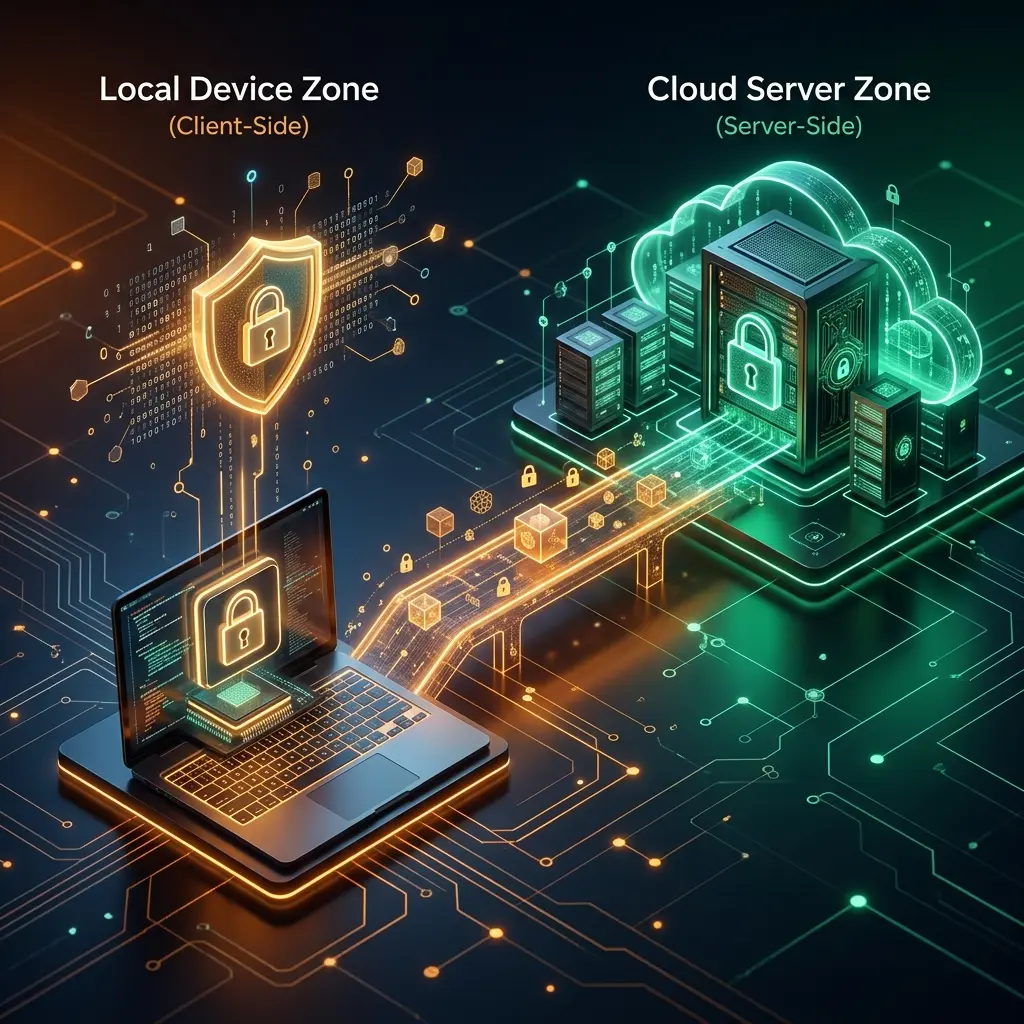
When you store files, notes, or sensitive business documents online, your data is almost always encrypted to keep it secure. However, the way that encryption is applied can completely change who has the power to read your information. Understanding the difference between client-side vs server-side encryption is essential for protecting your data privacy.
Client-side encryption encrypts data on your device before upload, while server-side encryption encrypts data after it reaches the provider’s servers.
This single technical difference determines who controls the encryption keys, what happens during a data breach, and whether the service provider can hand over your private information to third parties.
What Is Client-Side Encryption?
Client-side encryption means that the encryption process happens entirely on your own device—such as your phone or computer—before the data is ever transmitted over the internet.
When you use a service with client-side encryption, your device uses your password to generate a secure encryption key. The software then scrambles your files or notes into an unreadable format using this key. Only this scrambled, encrypted data is sent to the provider's servers.
Because the encryption happens before the data leaves your device, the cloud provider never sees your plaintext data. They also never receive the encryption key needed to decrypt it. The provider only stores the locked safe, while you keep the only key.
What Is Server-Side Encryption?
Server-side encryption means that the cloud provider encrypts your data after receiving it on their infrastructure.
When you upload a file using a service with server-side encryption, the data is typically protected in transit (using standard TLS/SSL encryption) as it travels across the internet. Once the data reaches the provider's data centre, their servers encrypt it before writing it to their storage drives. This is often referred to as encryption at rest.
In a server-side encryption model, the provider manages the encryption keys. While your data is protected against someone physically stealing the provider's hard drives, the provider themselves holds the ability to decrypt your files. Their systems routinely decrypt the data to perform functions like search indexing, generating previews, or scanning for viruses.
Client-Side vs Server-Side Encryption: Key Differences
While both methods protect data from external thieves stealing physical servers, they offer very different levels of privacy against internal threats and institutional access.
| Feature | Client-Side Encryption | Server-Side Encryption |
|---|---|---|
| When encryption happens | On your device, before uploading | On the provider's servers, after uploading |
| Who may control encryption keys | Only you | The service provider |
| Can the provider potentially access content? | No, they only hold unreadable ciphertext | Yes, they hold the keys to decrypt the data |
| Protection during a provider breach | Very high (hackers only get encrypted data) | Lower (hackers might access the keys too) |
| Password recovery options | Usually impossible (creates risk of data loss) | Very easy (just click "forgot password") |
| Ease of use | Requires more careful password management | Very convenient, seamless user experience |
| Best use cases | Highly sensitive documents, private notes, confidential client files | Everyday file storage, media backups, collaborative editing |
| Main limitation | No password recovery, limited server-side searching | You must fully trust the provider's security and privacy practices |
Is Client-Side Encryption Safer?
Client-side encryption is not universally "better," but it does offer stronger privacy for highly sensitive content, provided users securely manage their own passwords and keys.
Because the service provider cannot read files encrypted on the client side, your data is protected from rogue employees, internal server breaches, and mass surveillance. If privacy is your absolute highest priority, client-side encryption is the safer choice.
However, server-side encryption can still be highly useful and practical for many everyday cloud storage workflows. Services that use server-side encryption can offer fast full-text searching, advanced collaboration tools, and the ability to easily recover a forgotten password. For family photos, casual documents, and public business assets, the convenience of server-side encryption often outweighs the privacy trade-offs.
It is important to remember that client-side encryption does not automatically protect users from phishing, malware, compromised devices, weak passwords, or unsafe sharing practices. If a hacker installs a keylogger on your computer, they can capture your password before the encryption even takes place.
Can a Company or Hacker Access My Data?
The core difference between the two models becomes obvious during a security incident.
If a provider using server-side encryption is breached, hackers who gain deep access to the system may find both the encrypted files and the encryption keys needed to unlock them. Because the provider manages the keys, a compromised server can lead to a complete exposure of user data. Additionally, a company could legally be compelled to hand over your unencrypted data, since they have the technical ability to decrypt it.
If a provider using client-side encryption is breached, the hackers will only find ciphertext. Without your personal password or encryption key—which was never uploaded to the server—the stolen data is useless mathematical noise.
Key management matters immensely. A provider with access to your keys has a fundamentally different risk profile than a provider that never touches them. However, you must still maintain good security habits. If you use a weak password, hackers might be able to guess it and decrypt your stolen ciphertext. Furthermore, compromised devices and phishing remain significant risks regardless of which cloud encryption model you choose.
Client-Side Encryption, End-to-End Encryption, and Zero-Knowledge Encryption
These terms are often confused or used interchangeably, but they have distinct meanings.
Client-side encryption simply means the data is encrypted on the user's device.
Zero-knowledge encryption is a specific architecture built around client-side encryption. It means the provider is mathematically incapable of accessing your plaintext data or your encryption keys. The provider has "zero knowledge" of your files.
End-to-end encryption (E2EE) is a term most often used for communications, like messaging apps or video calls. It means data is encrypted on the sender's device and can only be decrypted on the recipient's device. The servers routing the message cannot read it.
While a zero-knowledge cloud storage service uses client-side encryption to ensure the provider cannot read your files, a messaging app uses end-to-end encryption to ensure the telecom provider cannot read your texts. Do not treat these marketing terms as identical in every product; always check the technical documentation.
Choosing the Right Encryption Model
When deciding where to store your data, consider the sensitivity of the information.
Private Notes and Personal Information
For journals, passwords, health notes, and deeply personal thoughts, client-side encryption is ideal. You do not need a server to index these for search; you simply need them to be absolutely private. An encrypted notes app that encrypts data in the browser before saving ensures your thoughts remain yours alone.
Cloud Storage and File Sharing
For general file sharing, server-side encryption is usually sufficient and offers a smoother experience. However, if you are sharing tax returns or identity documents, look for a secure file-sharing service that encrypts the file on your device and requires the recipient to enter a separate password to decrypt it.
Sensitive Business Documents
Businesses face a difficult balance. They need the collaboration features of server-side encryption, but they also have trade secrets to protect. Many businesses use standard cloud providers for everyday work, but rely on specialised client-side encrypted vaults for their most sensitive intellectual property, HR records, and strategic plans.
Remote Teams and Collaboration
True real-time collaboration (like multiple people typing in a document at once) is technically very difficult to achieve with strict client-side encryption. If your remote team needs to co-author documents simultaneously, you will likely need to rely on a platform using server-side encryption and trust their security perimeter.
Legal, Financial, and Client Documents
Professionals handling client data—such as lawyers, accountants, and therapists—often have strict confidentiality obligations. Storing client files in a system with client-side encryption drastically reduces the risk of a disastrous data breach, as the service provider cannot expose the files even if their systems are compromised.
What to Check Before Trusting an Encryption Service
Before uploading sensitive documents to any new service, run through this practical checklist:
- Where does encryption happen? Look for clear statements that encryption happens on your device, not just "at rest."
- Who controls the encryption keys? Ensure your password or key is never transmitted to the provider.
- Can the provider reset the encryption password? If they can reset your password and restore your files, they have access to your keys.
- What happens if the user loses their password? In a truly private system, losing your password means losing your data.
- Does the provider explain its encryption model clearly? Good security relies on transparency, not buzzwords.
- Is there a security whitepaper or technical documentation? Look for documented proof of how they handle cryptography.
- Has the service completed an independent security audit? Third-party audits help verify that marketing claims match the code.
- What metadata may still be collected? Even if files are encrypted, providers might log your IP address, file sizes, and login times.
- How does secure sharing work? Does sharing a link accidentally expose the decryption key to the provider?
- Is multi-factor authentication available? If the service uses user accounts, MFA adds vital protection.
- Are mobile and desktop apps protected consistently? Ensure the privacy promises apply across all platforms.
- Are security updates and privacy policies published clearly? Check how often the company updates its security practices.
Important
Availability and security features can differ greatly by provider and may change over time. Always read the current privacy policy and technical documentation of any service before trusting it with sensitive data.
How Inkrypt Fits Into Private Encrypted Note-Taking
Inkrypt is designed for users who want to create private encrypted notes online without trusting a central server to protect their content.
By applying client-side encryption within the browser using the Web Crypto API, Inkrypt ensures that notes are scrambled before they are transmitted. The server receives only ciphertext. Because Inkrypt does not store passwords or encryption keys, the provider cannot read the notes, and there is no password recovery mechanism.
To learn more about how encryption models impact your privacy, explore these related resources:
- Zero-knowledge encryption: what it means and how it works
- AES vs RSA encryption: which one actually does the work
- Best encrypted notepad tools with no signup
Frequently Asked Questions
Q1. What is the difference between client-side encryption and server-side encryption for storing data online?
Client-side encryption secures your data on your own device before it is uploaded to the internet, meaning the cloud provider cannot read it. Server-side encryption secures your data only after it reaches the provider's servers, meaning the provider manages the keys and has the technical ability to access the content.
Q2. Is client-side encryption safer than server-side encryption for protecting personal files and documents?
Yes, for protecting privacy against internal threats, server breaches, and institutional access. Because the provider does not hold the keys, they cannot read your personal files. However, it requires you to manage your own password carefully; if you lose it, your data cannot be recovered.
Q3. Which cloud storage or productivity services use client-side encryption to protect user data?
Most mainstream cloud storage providers rely on server-side encryption by default. Specialised secure services (like certain encrypted file vaults and secure note-taking apps) offer client-side encryption. Always check a provider's technical documentation to confirm their exact encryption architecture.
Q4. How does client-side encryption prevent a company or hacker from accessing my data even if their servers are breached?
Because the encryption happens on your device, the servers only store scrambled ciphertext. They do not store the encryption key or your password. If a hacker breaches the servers, they can only steal the unreadable ciphertext, which is useless without your key.
Q5. Should I choose a service with client-side or server-side encryption for storing sensitive business documents?
For highly sensitive business documents, trade secrets, and confidential client files, a service with client-side encryption offers vital protection against data breaches. For everyday collaborative documents that require simultaneous editing by multiple team members, server-side encryption is often more practical.
Q6. Can cloud providers read server-side encrypted files?
Technically, yes. Because the provider manages the encryption infrastructure and holds the keys, they have the ability to decrypt and read the files. They typically do this for search indexing and virus scanning, but it also means they could access the data during a security breach or legal inquiry.
Q7. Is client-side encryption the same as zero-knowledge encryption?
They are closely related. Client-side encryption is the technical process of encrypting data on the user's device. Zero-knowledge encryption is a broader system architecture built on that process, ensuring the provider is mathematically blind to the user's data and keys.
Q8. Can I recover my password with client-side encryption?
Usually, no. If the service is built correctly, the provider never possesses your password or encryption key. Therefore, they have no way to reset it or recover your data if you forget it. This is a deliberate security feature that prevents unauthorised access.
Q9. Does client-side encryption protect against hackers?
It protects against hackers who breach the cloud provider's servers. It does not automatically protect you if a hacker compromises your personal device with malware, tricks you with a phishing scam, or guesses a weak password.
Q10. Is client-side encryption useful for encrypted notes?
Yes. For private journals, secure passwords, or confidential meeting notes, client-side encryption ensures that the platform hosting the notes cannot read your thoughts or sell your data.
Q11. Is client-side encryption suitable for business documents?
Yes, especially for archiving sensitive intellectual property or HR records. However, businesses must implement strict key management policies. If an employee leaves the company and is the only one with the password to a client-side encrypted folder, the business will lose access to those documents permanently.
Q12. Does client-side encryption hide metadata?
Generally, no. Client-side encryption protects the contents of your files. The provider may still be able to see metadata, such as file sizes, upload dates, IP addresses, and your account login history.
Final Thoughts
The choice between client-side vs server-side encryption comes down to a trade-off between absolute privacy and convenient functionality.
Server-side encryption provides seamless usability, password recovery, and advanced collaboration, but requires you to trust the provider entirely. Client-side encryption removes the provider from the trust equation, keeping your sensitive documents mathematically secure from server breaches and insider threats. Ultimately, the best option depends on the sensitivity of the data, your ability to manage your own passwords securely, and the documented security model of the provider.
If you need a simple way to protect sensitive text, Inkrypt allows you to create secure, client-side encrypted notes directly in your browser.