
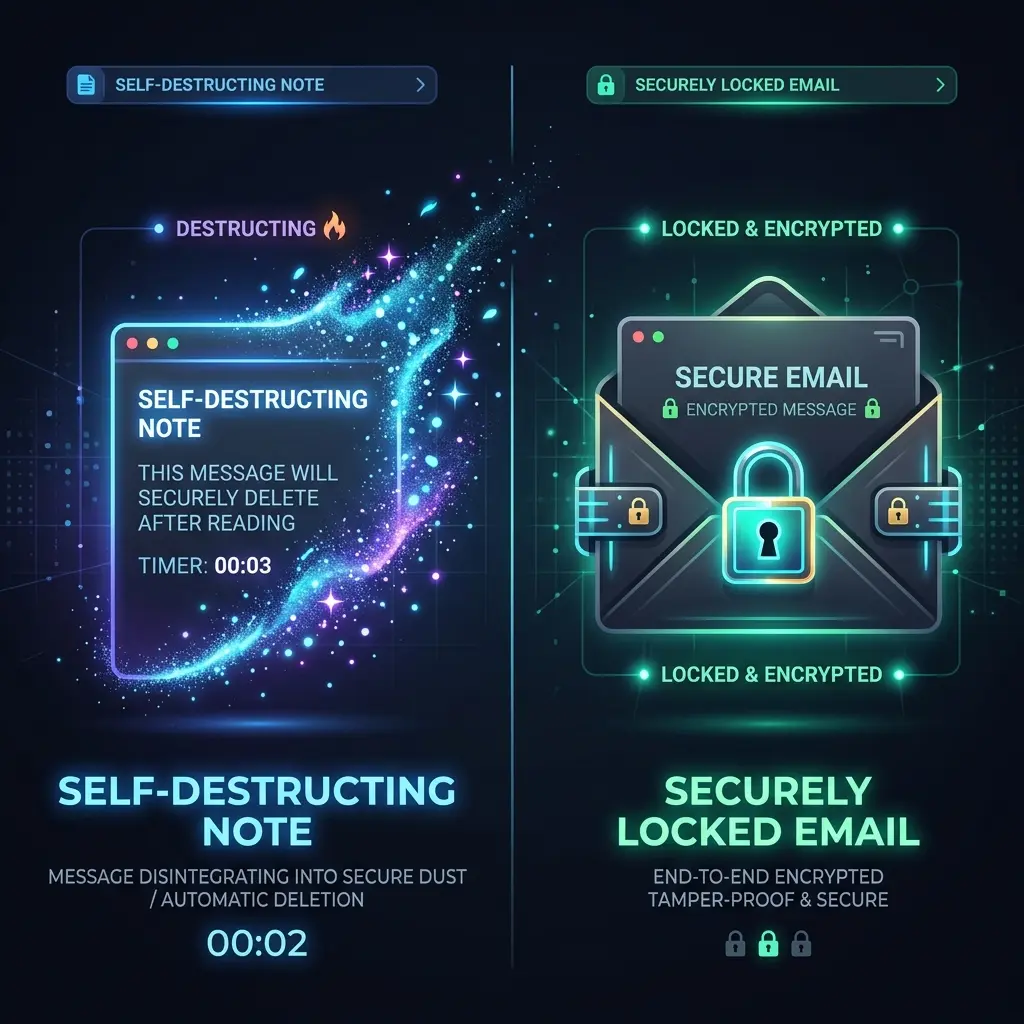
When you need to send highly sensitive information to a colleague, client, or friend, standard email and chat apps are inherently risky because they leave a permanent, searchable record of your data. To solve this, privacy-conscious users often choose between two distinct security methods: self-destructing notes or encrypted email. While both methods can help reduce exposure when sharing sensitive information, they solve entirely different problems and are built for different use cases.
Summary
Neither one is safer in general. Self-destructing notes limit how long sensitive text remains available, which fits information with a short life such as a temporary password. Encrypted email protects message content during delivery and storage while keeping it, which fits correspondence you need to refer back to. Neither method can prevent a recipient from copying information after viewing it.
The two protect sensitive information in opposite ways — one by making sure it disappears, the other by making sure it stays put but stays unreadable to anyone but the recipient — and picking the wrong one for the situation is its own kind of exposure.
What Is a Self-Destructing Note?
A self-destructing note is a web-based tool designed to make text available only temporarily. The core premise is expiration.
When you create an expiring note, the service generally provides you with a unique, randomized URL (a one-time secret link). You send this link to your recipient via your normal communication channels. When the recipient clicks the link, the message is displayed. Once the note is read, or after a specific time limit expires, the provider deletes the message from its active database. Anyone who clicks the link afterward will only see an error page.
This approach is highly effective for ensuring that a temporary private note does not remain sitting in a chat history or an inbox where it could be discovered months or years later by a hacker who breaches an account.
What Is Encrypted Email?
Encrypted email focuses on protecting the contents of a message from surveillance, interception, and provider access. It exists on a spectrum of security models:
- Encryption in transit: Almost all standard emails use TLS/SSL encryption as they travel between servers. However, the email is stored in plain text once it arrives at the provider's server.
- Encrypted mailbox storage (Encryption at rest): The provider encrypts the email on their hard drives, protecting it from physical theft, but the provider still holds the keys and can scan the email content.
- End-to-end encrypted email: The message is encrypted on the sender's device and can only be decrypted on the recipient's device. The email provider routes the message but mathematically cannot read the contents.
Unlike a self-destructing note, an encrypted email is designed to be kept. It sits in the recipient's secure inbox as an ongoing record of the conversation.
Self-Destructing Notes vs Encrypted Email: Key Differences
While both protect data, their architectures are fundamentally opposed. One destroys data to protect it; the other wraps data in cryptography to preserve it.
| Feature | Self-Destructing Note | Encrypted Email |
|---|---|---|
| Main purpose | Eliminating message history | Protecting message content from interception |
| How content is delivered | Usually via a web link sent over another app | Directly to a secure inbox |
| Expiration controls | High (access ends after reading or a set time) | Low (usually remains in the inbox indefinitely) |
| Message history | None (the goal is no record) | Full (creates a searchable, ongoing record) |
| Recipient requirements | Just a web browser and the link | Often requires an account with the same email provider |
| Metadata exposure | Minimal (if the provider does not log IPs) | Moderate (sender, recipient, subject line often visible) |
| Risk of copying or screenshots | High (cannot stop manual copying before deletion) | High (recipient can copy or forward the text) |
| Best use cases | Passwords, temporary keys, quick private text | Contracts, formal communication, sensitive attachments |
| Main limitation | No ongoing record if the information is needed later | Both parties often need compatible secure email apps |
When Should You Use a Self-Destructing Note?
A self-destructing note is the right choice when the information has temporary value, or when leaving a permanent record is a liability. Suitable use cases include:
- Temporary private text: Drafting a quick thought or idea that you want to erase completely.
- A short confidential message: Sending an honest critique or sensitive update to a colleague that should not sit in a Slack archive forever.
- A private link: Sharing a hidden URL to a staging environment or a private document.
- A temporary password when no better sharing option exists: If neither you nor the recipient uses a password manager, a one-time link is significantly safer than emailing the password.
- Information that should not remain in chat history: Keeping sensitive data out of Slack, WhatsApp, or standard email servers.
- Time-limited instructions: Giving someone directions that are only valid for the next 24 hours.
However, you should clearly understand that a dedicated password manager or delegated account access is generally better for long-term password sharing within a team.
When Is Encrypted Email a Better Choice?
Encrypted email is the superior choice when confidentiality is required, but you also need permanence, identity verification, and structure. Suitable use cases include:
- Longer messages: Sending comprehensive legal or financial explanations.
- Formal communication: Discussing HR matters, employee reviews, or confidential corporate strategy.
- Messages that need a record: Sending an approved budget or a signed agreement where proof of delivery and agreement is required later.
- Secure communication with established recipients: Talking with a lawyer, doctor, or accountant who uses the same end-to-end encrypted email service.
- Documents and attachments: Sending sensitive PDFs, tax returns, or contracts (where the email provider's encryption model supports secure attachments).
- Business communication that requires retention: Companies often have compliance rules that mandate keeping audit trails of communications, which temporary notes actively break.
Are Self-Destructing Notes Safer for Passwords or OTPs?
Plain text messaging is highly risky because passwords sit permanently in searchable inboxes or chat logs. In this specific context, temporary notes reduce message-history exposure dramatically. If an attacker breaches the recipient's email a month later, the link to the temporary note will be dead and the password will be safe.
However, self-destructing notes are not magic. They cannot stop the recipient from taking a screenshot, writing the password down on a sticky note, or saving it to an insecure plain-text file on their desktop.
Furthermore, password managers are usually better for sharing passwords because they can autofill credentials without showing the user the actual characters, and they allow administrators to revoke access centrally.
Regarding OTPs (One-Time Passwords) and MFA (Multi-Factor Authentication) codes: these are extremely time-sensitive and should generally not be shared at all unless there is a highly specific, authorized reason (such as a shared business social media account, though delegated access is much safer). Sending an OTP via an encrypted note is often too slow and clunky to be practical before the code naturally expires.
Finally, remember that whenever you share a password using any temporary method, you should change that password after the temporary sharing period is over to ensure complete security.
What Happens After a Self-Destructing Note Is Read?
The exact behavior depends entirely on the provider's architecture and privacy policy. Common behaviors include:
- Deleted after first view: The server deletes the ciphertext from its active database the exact millisecond the note is rendered in the recipient's browser.
- Expires after a time limit: The note remains viewable multiple times until a countdown timer reaches zero (e.g., 24 hours), after which the database scrubs the record.
- Becomes inaccessible through the original link: The URL simply returns a 404 error or a "Note Destroyed" message.
However, users must check the provider’s documentation regarding residual data. Depending on the service, the encrypted note may remain in the provider's automated server backups for days or weeks. Furthermore, the content might remain in the recipient's local browser cache, network logs, or on their clipboard if they copied it.
Can the Recipient Save or Copy a Self-Destructing Note?
Yes. It is a dangerous misconception that self-destructing notes prevent data theft by the recipient.
Expiration only governs what the provider will serve — and whether the record is erased, or simply no longer returned, varies by service. It cannot reliably prevent the person reading the note from:
- Taking screenshots using their operating system.
- Using screen recording software.
- Using standard copy and paste (
Ctrl+C/Cmd+C). - Writing the information down in manual notes.
- Taking photos of their computer monitor from another device (like their smartphone).
- Forwarding or copying the text before the expiration timer runs out.
A self-destructing note protects the data from hackers accessing old chat logs; it does not protect the data from the person you are sending it to. You must verify the recipient and trust them before sharing any sensitive information.
How to Choose Between a Self-Destructing Note and Encrypted Email
To decide which method to use, match the tool to the specific type of data you are sharing.
For Temporary Sensitive Text
Use a self-destructing note. If you need to send a server IP address, a temporary Wi-Fi code, or a quick confidential remark, an expiring link keeps the data out of permanent chat logs.
For Passwords and Login Credentials
Use a password manager. It is generally the safest approach. If a password manager is not an option between you and the recipient, use a self-destructing note to send the password, and ensure the password is changed later.
For OTPs and MFA Codes
Neither is ideal, as OTPs should rarely be shared. If you must authorize a login for a remote team member, reading the code over a secure phone call or using a shared team authenticator app is generally more reliable and secure than attempting to email or link an expiring code.
For Business Communication
Use encrypted email or approved internal secure messaging systems. Businesses usually require role-based access, audit trails, and compliance archiving. Using self-destructing notes for core business decisions violates most corporate data policies.
For Legal, Financial, or Client Information
Use encrypted email or secure file-sharing portals. Clients and lawyers need an ongoing, verifiable record of correspondence and agreements.
For Files and Documents
Use encrypted email or a secure cloud storage link. Most self-destructing note tools are built for plain text, not for securely transferring heavy PDF contracts or media files.
What to Check Before Using a Self-Destructing Note Tool
Before you paste sensitive information into a web form, run through this practical checklist:
- Does the note expire after reading, after a timer, or both?
- Is the note encrypted before upload (client-side encryption)?
- Who controls the encryption key?
- Can the provider access the note content (zero-knowledge)?
- Can the note be password protected for an extra layer of security?
- What metadata may be collected (like IP addresses or browser versions)?
- Are notes deleted from active systems immediately after expiration?
- How does the service handle automated database backups and server logs?
- Can the link be forwarded by the recipient before they open it?
- Is there a way to revoke or destroy the note yourself before it is opened?
- Does the service work safely and reliably on mobile browsers?
- Is there a clear privacy policy and transparent security documentation available?
How Inkrypt Fits Into Private Temporary Notes
Inkrypt is a self-destructing-note tool in the sense described throughout this article: the browser encrypts text with the Web Crypto API before it reaches the server, so the provider never sees plaintext and never holds a decryption key. It is not an encrypted email service, and the section below on what expiry actually covers in this specific implementation is worth reading before you rely on it for anything time-sensitive.
Review the privacy policy and security documentation before using it for sensitive information — what counts as an acceptable risk depends on your own threat model, not a generic recommendation.
To learn more about the cryptography and design choices behind secure notes, explore these related resources:
- How to share passwords securely online
- Zero-knowledge encryption: what it means and how it works
- Client-side vs server-side encryption: who holds the keys
- AES vs RSA encryption: which one actually does the work
The comparison above is about the two approaches in general. For how expiry and burn-after-reading are actually implemented in one product — including what happens to the stored record when a limit is reached — see self-destructing notes.
What "self-destructing" does and does not cover
The phrase is used loosely enough to be misleading, so it is worth pinning to a real implementation. In Inkrypt, three different things are often collapsed into one word, and only one of them destructs.
The note persists. A note has no expiry mechanism. Its encrypted record stays until someone opens it with the password and overwrites or removes it. Nothing about creating a share changes that.
The share link expires. Sharing produces a separate encrypted snapshot with its own key. Expiry and view limits are properties of that snapshot: once the deadline passes or the view count is reached, the server declines to serve it. The underlying note is untouched and still opens normally.
View limits count fetches, not readers. The limit is enforced per browser using a httpOnly cookie set for seven days, so a recipient reloading the page does not burn an extra view — but the same person opening the link on a second device does. Two people opening a single-view link at the same moment can also consume it in ways neither expects.
There is a fourth thing the word cannot cover at all: the recipient. Once someone has read the note, expiry governs only whether the link resolves again. It does not reach a screenshot, a copy-paste, or a memory. Any tool implying otherwise — email or notes — is overselling.
How the share key travels
This is where the note model differs most sharply from encrypted email. Email encrypts to an identity: you need the recipient's public key before you can send. A share link inverts that. The key is generated at send time on the sender's device, and for a passwordless share it is placed in the link after a #.
That matters because browsers do not transmit the fragment — it is resolved locally and never appears in the request, so the hosting service stores the ciphertext without ever holding the key. There is no key exchange, no directory, and no requirement that the recipient has ever used the service. The cost is that the link becomes the secret: anyone it is forwarded to can read the note, which is precisely the property encrypted email's key exchange is designed to avoid. Neither model is strictly better; they fail in opposite directions.
The mechanics are specified in how share links work and the feature itself in secure link sharing.
Frequently Asked Questions
Q1. What is the difference between using a self-destructing note and sending an encrypted email for sharing sensitive information?
A self-destructing note is designed to eliminate message history by deleting the text from servers after it is viewed or after a timer expires. An encrypted email is designed to protect the message from interception while preserving an ongoing, secure record of the conversation in the recipient's inbox.
Q2. When should I use a self-destructing note instead of an encrypted email to share confidential details?
Use an expiring note when the information has only temporary value, such as a one-time password, a temporary server configuration, or a private remark that should not remain permanently in the recipient's chat history or email archive.
Q3. Are self-destructing notes safer than encrypted emails for sharing OTPs or passwords?
For preventing long-term exposure in message histories, yes: the link stops working after viewing, so the password does not sit in an inbox indefinitely. Whether the stored record is actually erased at that point depends on the service, and is worth checking. A dedicated password manager with secure sharing is generally a better fit than either option for handling passwords.
Q4. What happens to a self-destructing note after it is read and can the recipient save a copy?
After the note is read, the provider deletes the encrypted data from their active servers. However, the recipient can absolutely save a copy before it expires by taking a screenshot, using copy and paste, or taking a photo with another device.
Q5. Which free tools offer self-destructing notes and how do they compare to encrypted email services?
There are many free browser-based tools that offer one-time secret links. They compare to encrypted email by prioritizing convenience and data destruction over formal identity verification and permanent secure storage. Always verify a free tool's privacy policy and encryption model before use.
Q6. Can self-destructing notes stop screenshots?
No. Once the text is rendered on the recipient's screen, the web browser cannot reliably prevent the operating system from capturing a screenshot or screen recording.
Q7. Is encrypted email safer than WhatsApp for sensitive information?
Both offer forms of end-to-end encryption, but encrypted email providers often have stricter policies regarding metadata, unencrypted cloud backups, and compliance features, making them generally better suited for formal sensitive information than a consumer chat app.
Q8. Should I send passwords by email?
No. Sending passwords in plain text via standard email leaves them vulnerable to server breaches, forward chains, and long-term storage in automated backups. Use a password manager or a secure one-time link instead.
Q9. Can a self-destructing note be forwarded?
If the recipient has not clicked the link yet, they can forward the URL to someone else. Whoever clicks the link first will see the note, and it will destroy itself for everyone else. If the recipient has already opened the note, the link is dead and cannot be forwarded.
Q10. Do self-destructing notes delete data permanently?
Usually yes, from active databases. However, encrypted fragments of the note might remain in the provider's automated server backups until those backups naturally rotate (often after several days or weeks). Always check the provider's documentation.
Q11. Is a one-time secret link safe?
It is safer than plain text messaging, provided the service uses strong client-side encryption. However, the safety also depends on the recipient's device being secure and you sharing the link through a relatively secure channel.
Q12. Can businesses use self-destructing notes?
Businesses should generally use role-based access, dedicated password managers, and approved secure communication platforms. Temporary notes can violate data retention and compliance policies if used for official business records.
Q13. Should I use a password manager instead?
For sharing long-term access to accounts, yes. Password managers are specifically designed to handle credentials securely, offering features like auto-fill masking and centralized access revocation that simple notes cannot provide.
Final Thoughts
Deciding between self-destructing notes vs encrypted email comes down to whether your sensitive information needs to be forgotten or preserved.
Self-destructing notes reduce long-term exposure for anything with a short useful life — a password, a one-off link, a remark that shouldn't sit in an inbox. Encrypted email is built for the opposite case: formal communication that needs to survive as a protected record.
Neither one stops a recipient from copying or screenshotting what they've already seen — that limit sits outside what either tool can do. And for credentials specifically, a password manager or delegated access still beats both.
Technical claims here follow the primary sources for the transports described: RFC 8446 for TLS 1.3, which protects mail in transit but not at rest on the receiving server, and the W3C Web Cryptography API specification for the browser-side encryption a self-destructing note relies on.